Imagine going live with your loyal fans cheering you on, gifts pouring in, only to suddenly see your stream cut off and your account restricted. It happens and this is a common consequence for not following the rules. For thousands of Bigo Live creators every month, this nightmare is real. Being a new streamer building your audience or being an experienced host chasing higher earnings, it doesn’t matter. Understanding how to avoid getting banned on Bigo Live is essential for long-term success on the platform. And that is exactly what we are going to learn today.
And before we start, just recharge your Bigo Live safely through Enjoygm to fuel your streams without risking account issues from third-party sellers. Their reliable service keeps your wallet secure and transactions smooth, letting you focus on creating great content instead of worrying about shady recharges.



Why Do Bigo Live Accounts Get Banned?
Getting banned on Bigo Live is such a common scene that most of the users are prone to. Bigo Live uses a combination of AI moderation and human reviewers to enforce rules. So their bans range from temporary live restrictions (hours to days) to permanent account or device bans for serious or repeated violations. Common triggers for such banes include sexual content, minor safety issues, spam, and inactive streaming.
In 2026, enforcement on Bigo Live remains strict globally, with regional variations for local laws. Bigos law or similar references often point to these evolving moderation policies that prioritize community safety and platform integrity. Even unintentional slips like background noise, clothing choices, or chat interactions can flag your stream so there is always a risk.
Master Bigo Live Community Guidelines to Prevent Bans
The foundation of how to avoid getting banned on Bigo Live is thorough knowledge of the rules. You can review the official guidelines regularly, as updates happen, and there are few things that can lead for banning. Knowing them is what helps you to avoid involving with such activities so here they are:
Key Prohibited Activities That Lead to Bans
- Sexual Content & Provocative Behavior: No nudity, suggestive poses, revealing outfits, vulgar language, or anything sexually explicit should be there. This includes background elements or implied actions.
- Minor Safety Violations: Never show minors on stream, even family members. Accounts risk instant severe penalties for any content involving children.
- Inactive or Low-Quality Streaming: Black screens, pre-recorded videos passed as live, excessive noise, or poor environments count as negative behavior and lead to warnings or earnings deductions.
- Hate Speech, Harassment & Violence: Avoid insults, discrimination, bullying, or graphic content.
- Illegal Activities: No drugs, gambling, weapons, scams, or copyrighted material (e.g., playing full movies or unlicensed music).
- Platform Abuse: Impersonating staff, spamming, promoting competitors, or trading diamonds for real money.
- Other Common Pitfalls: Sharing private info, animal abuse, self-harm promotion, or misleading content.
Pro Tips for Compliant Streaming
- Dress modestly and keep your environment clean and well-lit.
- Engage actively with chat and make sure to respond genuinely without repetitive spam.
- Use original content and label any AI-generated elements clearly.
- Moderate your own chat to prevent rule-breaking comments from viewers.
You can take the official BIGO Creator Quiz on their blog so it can be used to test your knowledge and avoid a ban on your stream.
Practical Strategies to Avoid a Ban as a Bigo Creator
As a streamer or host, proactive habits make all the difference in avoiding bans on Bigo Live. So, here are some practical stages for preventing bans:
- Prepare Your Setup: Test lighting, audio, and background before going live. Avoid anything that could be misinterpreted by AI (e.g., shadows creating odd visuals or music triggers).
- Build Positive Community Habits: Encourage respectful chat. Use in-app tools to block or report disruptive users quickly.
- Monitor Your Account Health: Check notifications regularly for warnings. Address them immediately to prevent escalation.
- Content Planning: Focus on entertaining, value-driven streams like singing, dancing, chatting, or skills without crossing into risky topics. Diversify but stay consistent.
- Gift and Earnings Management: Earn through legitimate gifts. Avoid third-party diamond trading, which can freeze your wallet.
For Official Hosts (2026 Policy 8 Context): Meet streaming hour targets (e.g., 30+ hours across 15 days) while maintaining clean content to secure salaries and avoid penalties during high-stakes broadcasts.
When recharging beans or diamonds for promotions or PK battles, use trusted platforms like Enjoygm. It connects naturally to safe gifting strategies, and reliable top-ups help you reward loyal fans and boost engagement without triggering fraud detection from unverified sources.
How to Appeal a Banned Account on BIGO Live
If you receive a ban, you have to act quickly. Most temporary bans lift automatically, but appeals can speed up or reverse unfair ones.
Step-by-Step Appeal Process
- Open the Bigo Live app and go to your profile.
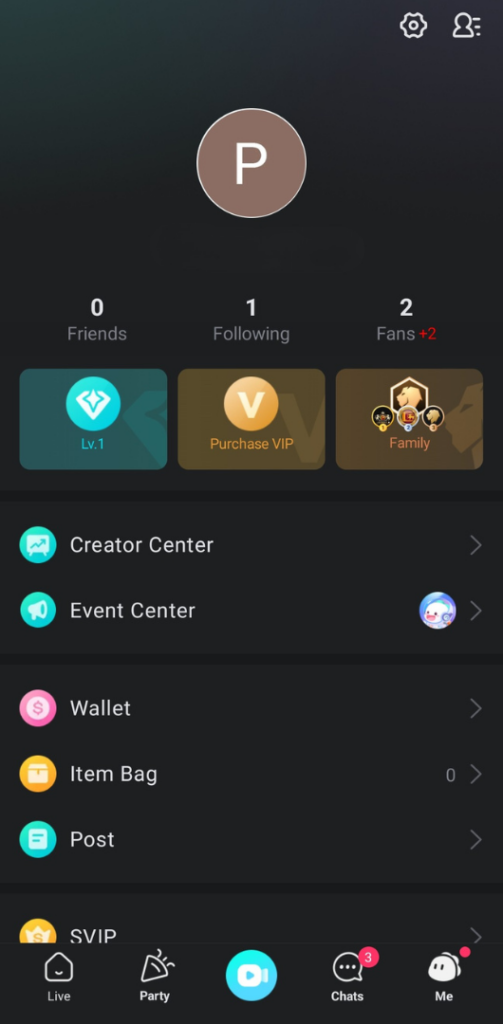
- Navigate to Customer Service > Feedback > Appeal for my account.
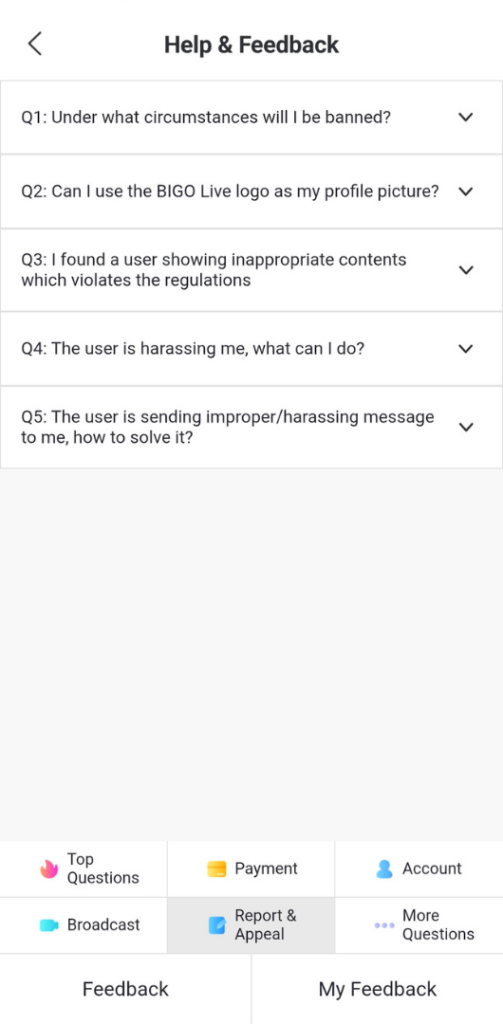
- Provide your BIGO ID, ban details, and a clear explanation.
- Attach screenshots, stream recordings, or evidence showing compliance.
- Submit and wait for review (responses often come in days).
Good Appeal Reasons on BIGO LIVE
- Honest mistake with proof (e.g., accidental family member appearance explained with context).
- AI false positive (common with clothing, lighting, or audio).
- No prior warnings and strong account history.
- Clear promise to follow guidelines moving forward, backed by specific changes you’ll make.
Additional Appeal Channels:
- Email: feedback@bigo.tv with full details.
- Support site or in-app help center.
Just be polite, factual, and concise. Multiple appeals with new evidence can help, but make sure that you avoid spamming. Permanent or device bans are harder to reverse and may require stronger proof.
Advanced Tips for Long-Term Account Safety
- Use one primary device and account to build trust.
- Avoid VPNs or suspicious logins that flag as suspicious activity.
- Stay updated via Bigo’s official blog and in-app announcements.
- Join creator communities (respectfully) for shared tips on trending safe content.
- Backup important contacts and stream ideas outside the app.
Conclusion
So, Bigo Live users, are you ready? This is how to avoid getting banned on Bigo Live and following these practices turns ban avoidance into a natural part of your streaming routine, helping you grow sustainably.