Streaming on Bigo Live puts you in the spotlight with millions of global viewers, but it also opens the door to unwanted comments, verbal abuse, and persistent trolls. It is common in the digital world. As a host, you can control your room yet many streamers feel overwhelmed when toxic users disrupt their vibe, send inappropriate messages, or harass them during live sessions. So, how to prevent harassment on Bigo Live as host? Let’s see today with step-by-step strategies to protect your stream, maintain a positive community, and focus on what matters: engaging with genuine fans and growing your audience.
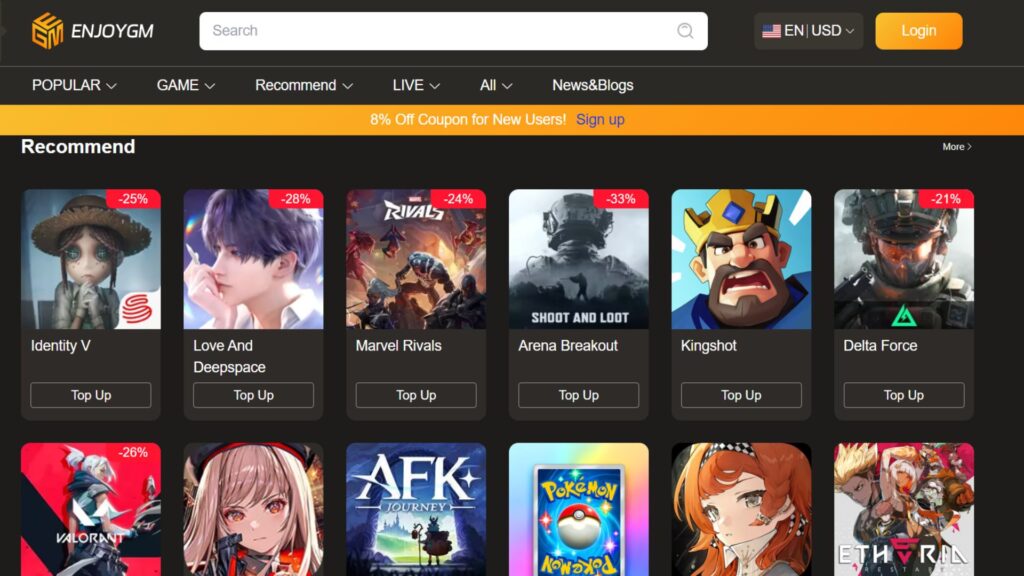
And before tightening your security, if you’re looking to recharge Bigo Live quickly and affordably to reward your loyal moderators or run fun PK battles without interruptions, consider Enjoygm. It offers competitive rates, instant delivery, and secure recharges that let hosts stay focused on building a safe, thriving stream instead of worrying about in-app purchases.



Why Harassment Happens on Bigo Live and How to Stay Ahead h2
Bigo Live’s reach means diverse audiences, but the access to anonymity there can encourage bad behavior like verbal abuse, spam, or unwanted advances. Official policies of this platform strictly prohibit hate speech, bullying, harassment, and malicious attacks. Hosts who act fast can keep their rooms welcoming and avoid account risks.
Taking proactive prevention beats reactive damage control. You can combine privacy settings, moderation tools, quick blocking, and reporting to create a safer experience. And that is how you stay ahead against those harassment.
Pre-Live Setup: Lock Down Your Privacy Settings
As a first step, you can start with strong foundations before going live. These prevent strangers from reaching you easily. And this is how the process will be done:
- Open the Bigo Live app and tap the Me tab at the bottom.
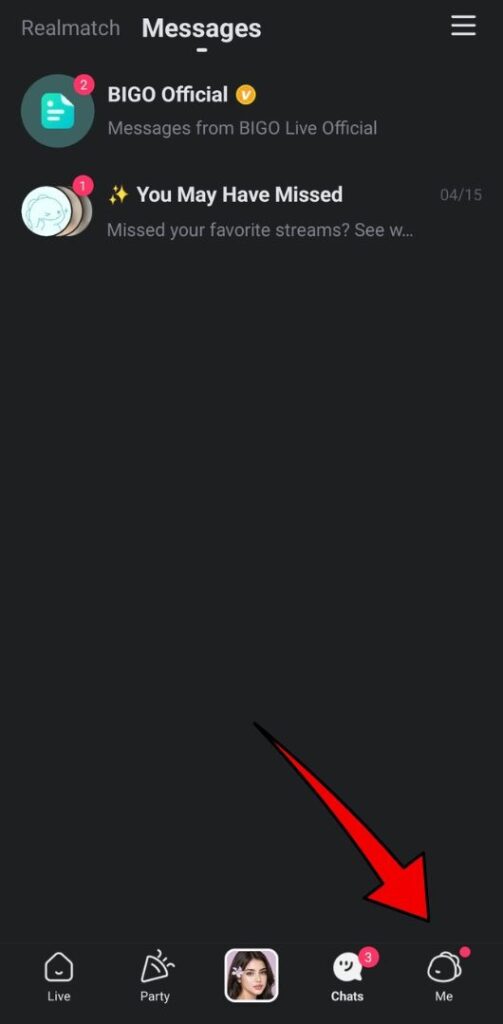
- Tap the gear icon (Settings).

- Select Privacy (usually the first option).

- Enable these key toggles:
- Hide location — Stops your city or area from showing on your profile or streams.
- Do not disturb from strangers — Blocks messages from non-friends and non-official accounts.
- Stranger Messages Collapse — Hides suspicious messages automatically.
- Hide your online status — Appears offline to reduce random joins.
- Hide your device model — Limits info scammers might use.

After these steps, you can review your Blocked List regularly in Settings to ensure troublemakers stay out. These settings reduce unsolicited interactions significantly, letting you stream with peace of mind.
During Your Live Stream: Real-Time Moderation Tools
As host during the live streams, you have powerful controls to manage your room instantly. And doing them as follows will literally prevent you from harassment:
- Appoint Trusted Admins: Tap a reliable regular’s profile during the stream, select Manage, and then set them as Admin. Admins can mute, kick, or block users on your behalf and this is going to be ideal for busy streams or multi-guest sessions. Choose loyal viewers who know your rules.
- Handle Disruptive Viewers Quickly:
- Tap the user’s name in chat or on the viewer list.
- Choose Mute for temporary silence.
- Select Kick out to remove them from the current stream.
- Use Block to prevent them from rejoining your lives, messaging you, or viewing your profile.
- Set Clear Room Rules: Announce guidelines at the start (e.g., “No spam, no personal attacks, keep it positive”). This sets expectations and makes enforcement fairer.
For multi-guest or PK battles, you can just use host tools to approve joins, mute noisy guests, and adjust layouts to keep the focus positive.
How to Report Verbal Abuse on Bigo Live App
Reporting triggers Bigo’s moderation team (AI + human reviewers) for account actions like warnings, restrictions, or bans. And if you want the steps on reporting, here they are:
In a Live Stream
- Tap the menu icon (three lines) at the bottom.
- Select Report.
- Choose the reason (e.g., Language/Voice Violation, Abusive Comments, Sexual Harassment).
- Add details and submit.
For Private Messages or Profiles
- Open the chat or profile.
- Tap the three dots (⋮ or ●●●).
- Select Report, pick the category (e.g., Abusive Comments, Sexual Harassment), and optionally toggle Block user as well.
- Submit with evidence like screenshots.
For serious or repeated issues, you better take more step than these. In such cases, you can email feedback@bigo.tv with user IDs, timestamps, and attachments. Reports are generally anonymous yet the actions will be taken to the best.
Block Someone on Live Stream on Bigo Live (as Host or User)
Blocking delivers instant protection even if you are on a live. If you feel like someone is annoying there and leading to the harassment, you can go through these stages:
- Tap the user’s name/profile in your stream or chat.
- Select the three dots.
- Choose Block and confirm.
Once blocked, the blocked user can’t message you, join your lives, or view your profile. You can check your Blocked List in Settings anytime.
Pro Tip: Combine report + block for harassment cases. Blocking handles the immediate threat while reporting leads to platform-wide action.
Additional Best Practices for Long-Term Safety
- Avoid Sharing Personal Info: Never reveal your full name, address, phone, or daily routines in chat or streams.
- Monitor and Engage Positively: Reward good behavior with shoutouts or gifts to build a supportive community that self-polices.
- Use Filters and Limits: Enable any available comment filters and limit who can send gifts or join if needed.
- Document Everything: Keep screenshots or recordings of severe incidents for stronger reports.
- Appeal if Needed: If your content gets flagged wrongly, use in-app appeal options with evidence.
- Stay Updated: Bigo improves safety features regularly and you can check official blogs for new tools.
When managing a growing stream with more gifts and interactions, reliable diamond top-ups through Enjoygm help sustain momentum. Hosts often recharge there during breaks to gift active moderators instantly, reinforcing a positive, harassment-free environment.
Common Questions from Bigo Live Hosts
- Can blocked users return on new accounts? It’s harder if you’ve hidden location and ID details, but report patterns to Bigo.
- How fast do reports work? AI flags severe cases quickly; complex ones take longer but contribute to safer community standards.
- What if harassment feels like a real threat? Report in-app, document everything, and contact local authorities if it escalates beyond the platform.
Conclusion
So, that is how to prevent harassment on Bigo Live as host. By implementing these steps consistently, you’ll create a welcoming space that attracts better viewers and supports sustainable growth as a host. Stream safely and enjoy building your community!